Authentication
All API requests require authentication via API key.
API Key
API key is a unique token that identifies your application and provides access to the API.
Getting API Key
- Log into your Mesilat platform account
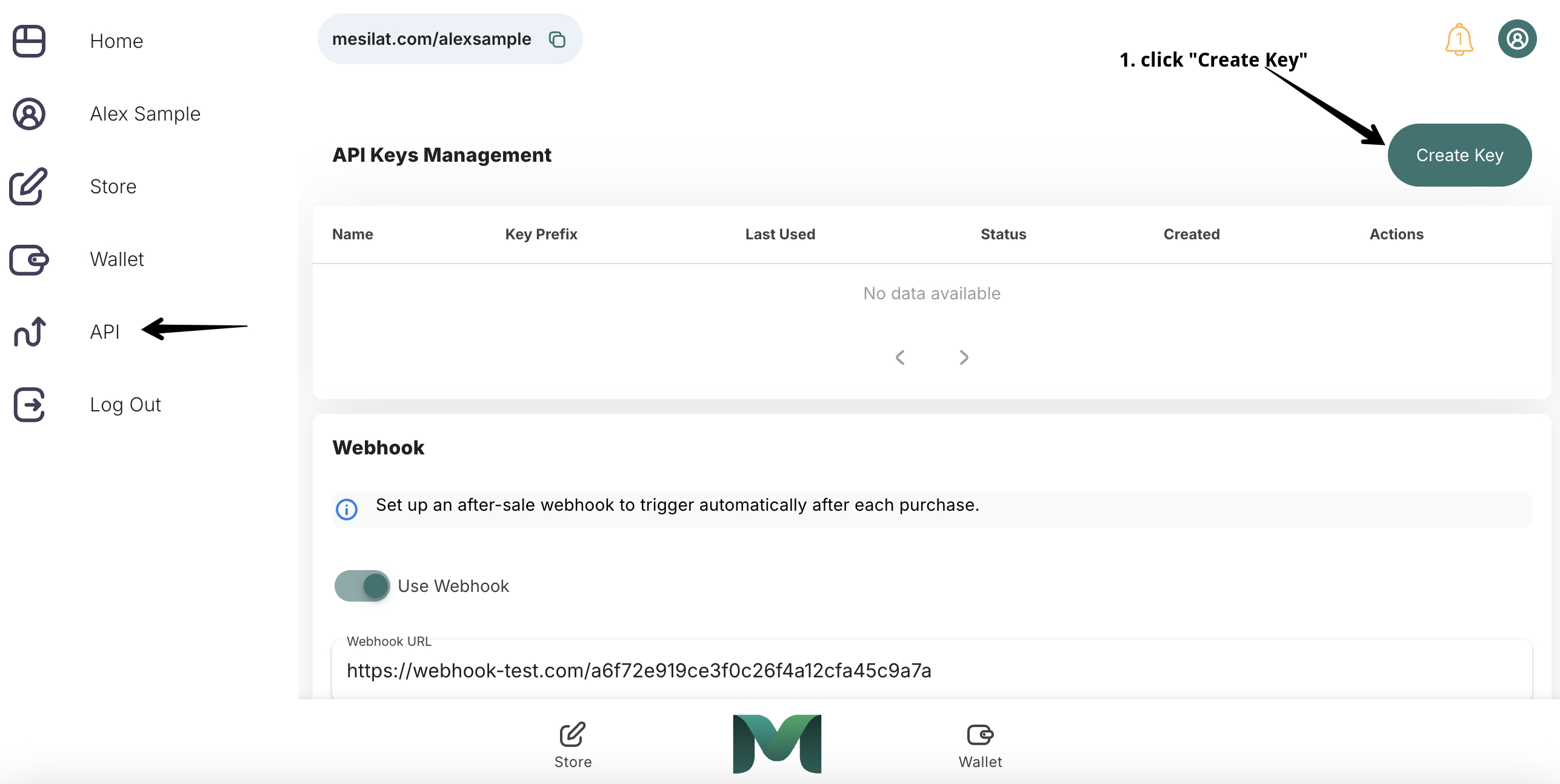
- Go to API section
- Create key
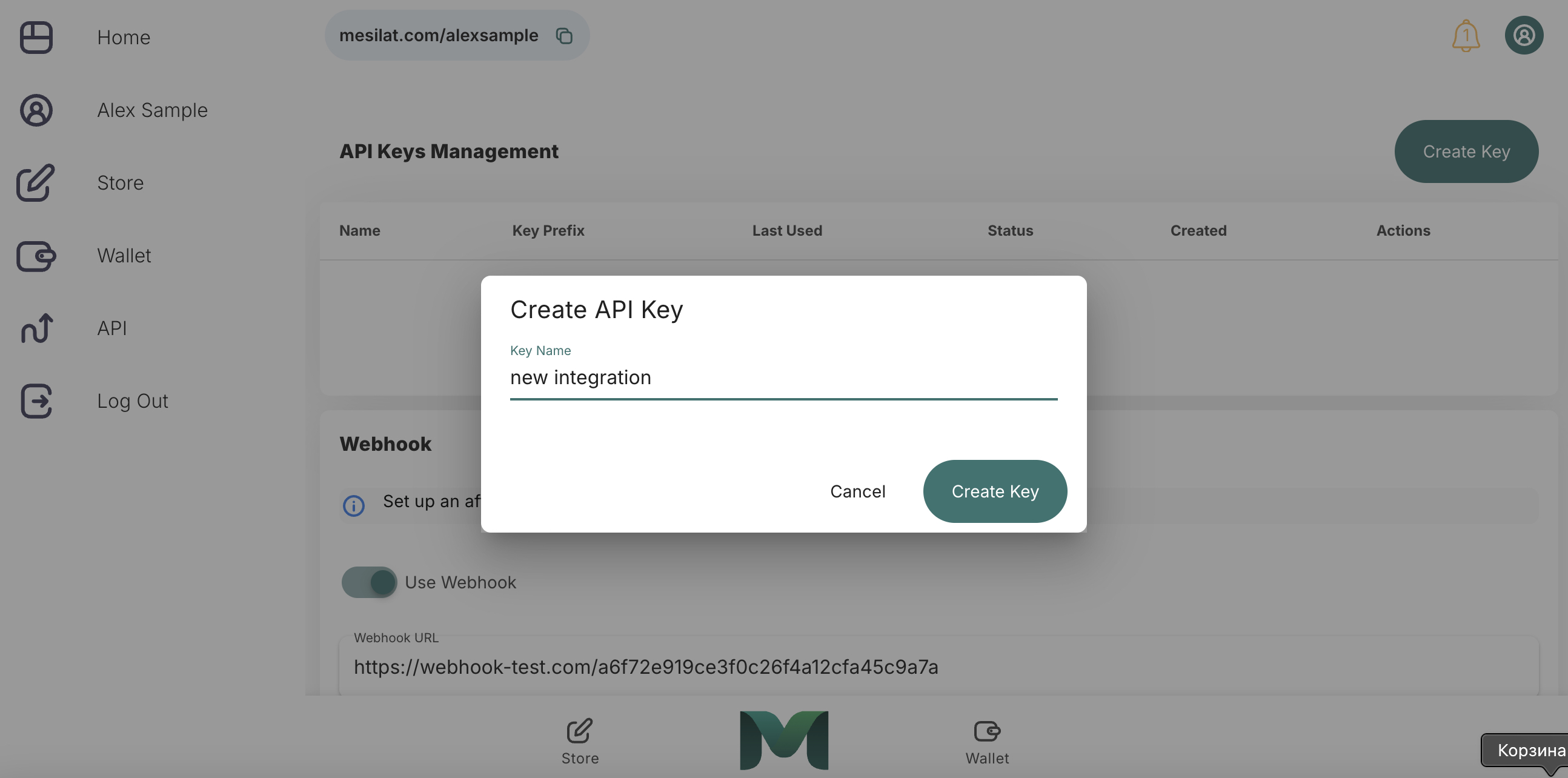
- Enter any key name, for example "New Integration"
- Copy and save the generated key
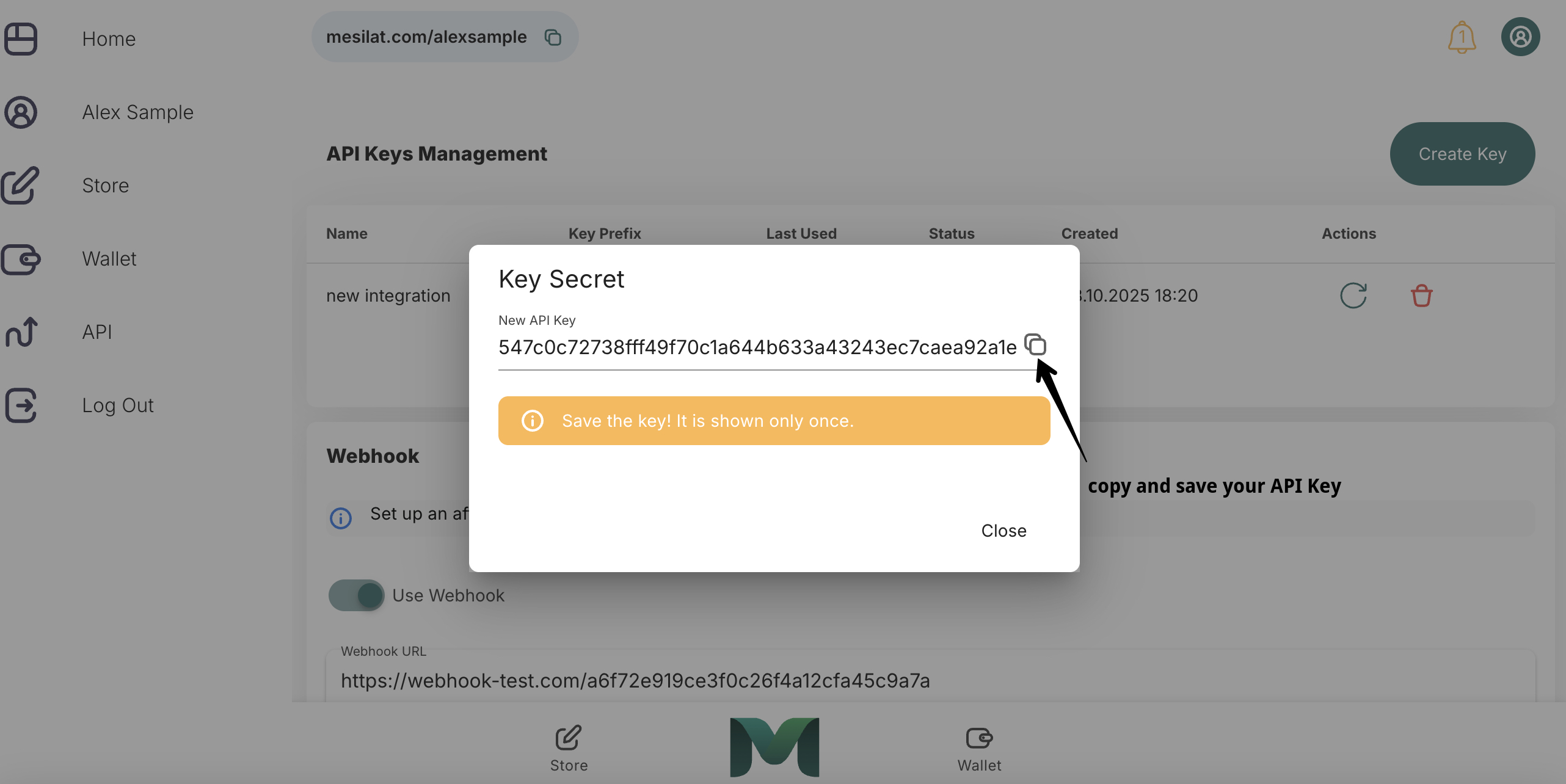
⚠️ Important: API key is shown only once when created. Save it in a secure place.
Using API Key
Add the API key to the X-API-Key header of each request:
curl -X GET "https://api.mesilat.com/creator-api/v1/products/123/payment-links" \
  -H "X-API-Key: your_api_key_here"
fetch('https://api.mesilat.com/creator-api/keys', {
  headers: {
    'X-API-Key': 'your_api_key_here'
  }
})
import requests

headers = {
    'X-API-Key': 'your_api_key_here'
}

response = requests.get('https://api.mesilat.com/creator-api/keys', headers=headers)
Security
API Key Protection
- Never pass API key in URL parameters
- Don't commit API key to code
- Use environment variables
Environment Variables
Authentication Errors
401 Unauthorized
{
  "error": "API key is required",
  "message": "Please provide a valid API key in the X-API-Key header"
}
Solution: Add X-API-Key header with your API key.
Solution: Check the API key correctness or create a new one.
Key Management
Creating New Key
curl -X POST "https://api.mesilat.com/creator-api/keys" \
  -H "X-API-Key: your_existing_api_key" \
  -H "Content-Type: application/json" \
  -d '{"name": "My New API Key"}'
Deleting Key
Regenerating Key
curl -X POST "https://api.mesilat.com/creator-api/keys/123/regenerate" \
  -H "X-API-Key: your_api_key"
Rate Limiting
API has request limitations:
- 1000 requests per hour per API key
- 100 requests per minute per API key
When limit is exceeded, an error is returned:
Monitoring
Track API key usage:
- Last usage (
last_used_at) - Request count
- Activity status (
is_active)